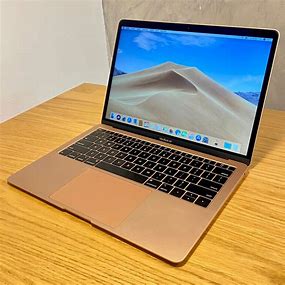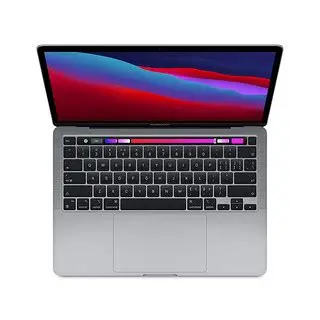
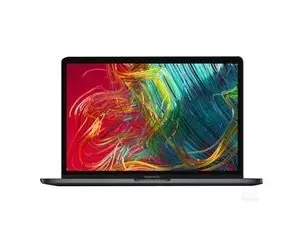
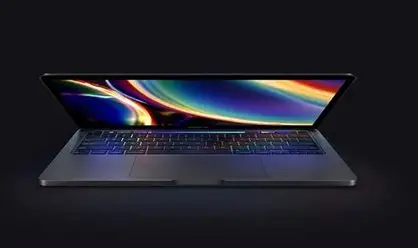


13Inch Original Refurbished New2020 13″ M1 8-core RAM 8GB SSD 256GB RAM16GB SSD 256GB RAM 16GB SSD512GB mackbookSSD Used Laptops 2020

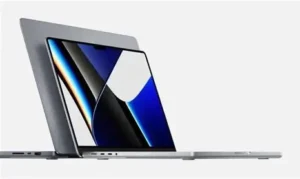

Here’s a detailed comparison table for the 2020 13″ MacBook Pro M1 configurations (8GB/16GB RAM with 256GB/512GB SSD):
| Specification | M1 8GB/256GB | M1 16GB/256GB | M1 16GB/512GB | Key Differences |
|---|---|---|---|---|
| Processor | Apple M1 (8-core CPU) | Apple M1 (8-core CPU) | Apple M1 (8-core CPU) | Same CPU performance |
| GPU Cores | 7-core or 8-core GPU | 7-core or 8-core GPU | 7-core or 8-core GPU | Base model may have 7-core GPU |
| Unified Memory | 8GB | 16GB | 16GB | 16GB better for heavy workloads |
| Storage | 256GB SSD | 256GB SSD | 512GB SSD | SSD speed scales with capacity |
| SSD Speed | ~2,000 MB/s read/write | ~2,000 MB/s read/write | ~2,800 MB/s read/write | 512GB is ~40% faster |
| Battery Life | Up to 17 hours web | Up to 17 hours web | Up to 17 hours web | Same efficiency |
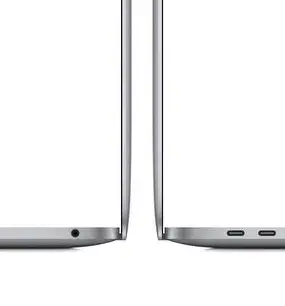
| Ports | 2x Thunderbolt/USB 4 | 2x Thunderbolt/USB 4 | 2x Thunderbolt/USB 4 | Identical connectivity |
| Display | 13.3″ Retina (2560×1600) | 13.3″ Retina (2560×1600) | 13.3″ Retina (2560×1600) | Same excellent display |
| Thermals | Fanless design | Fanless design | Fanless design | Identical cooling |
| Weight | 3.0 lbs (1.4 kg) | 3.0 lbs (1.4 kg) | 3.0 lbs (1.4 kg) | Same chassis |
| Original Price | $1,299 | +$200 upgrade | +$400 upgrade | 16GB/512GB was $1,899 |
| Best For | Basic tasks, students | Pro apps, multitasking | Video editing, large projects | Choose based on workload needs |
1. Base Model (8GB RAM/256GB SSD)
The entry-level M1 MacBook Pro 13″ delivers revolutionary performance at an accessible price point. Featuring Apple’s groundbreaking 8-core M1 chip (with either 7 or 8 GPU cores), this configuration excels at everyday tasks with:
-
Blazing-fast responsiveness for web browsing, office apps, and media consumption
-
Fanless silent operation thanks to M1’s incredible efficiency
-
17-hour battery life – nearly double Intel MacBooks
-
2000 MB/s SSD speeds (adequate for most users)
Best for: Students, casual users, and those transitioning from older Intel Macs. While the 8GB unified memory handles light multitasking well, it may struggle with:
-
Heavy Photoshop/Lightroom work
-
4K video editing without proxies
-
Running multiple virtual machines
2. 16GB RAM/256GB SSD Upgrade
The memory-upgraded version significantly improves professional workflows by doubling the RAM to 16GB unified memory, offering:
-
Smoother multitasking with memory-hungry apps
-
Better performance longevity as software demands increase
-
Enhanced capability for software development (Xcode), music production, and moderate video editing
-
Same 256GB storage (requires external drives for large media libraries)
Ideal for:
-
Developers working with emulators/IDEs
-
Photographers editing large RAW files
-
Users who keep many browser tabs/apps open simultaneously
3. 16GB RAM/512GB SSD Premium Model
The top configuration combines 16GB RAM with faster 512GB storage, delivering:
-
40% faster SSD speeds (~2800 MB/s) for quicker file operations
-
Ample space for creative projects without external drives
-
Optimal performance for:
-
4K video editing in Final Cut Pro
-
3D rendering and CAD work
-
Running Windows via Parallels
-
-
Best long-term investment as both memory and storage won’t bottleneck performance
Professional advantages:
-
Handles multiple 4K video streams effortlessly
-
Faster project loading/export times
-
More comfortable working with virtual machines
Key Decision Factors
-
Budget-conscious users: The base model remains surprisingly capable for everyday use
-
Power users: 16GB RAM makes a bigger difference than storage for most pro apps
-
Media professionals: 512GB SSD provides necessary speed and capacity for large files
All models share the same brilliant Retina display, Magic Keyboard, and 2x Thunderbolt ports. While the M1 chip’s efficiency makes even the base model feel fast today, the 16GB configurations will better withstand future software demands.