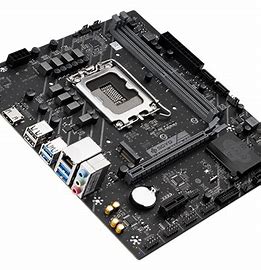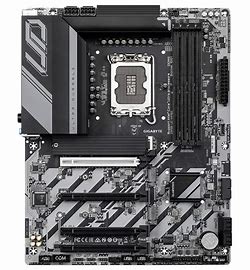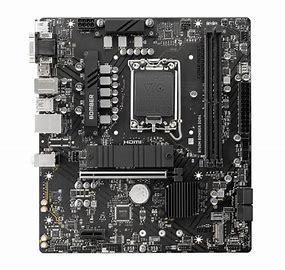

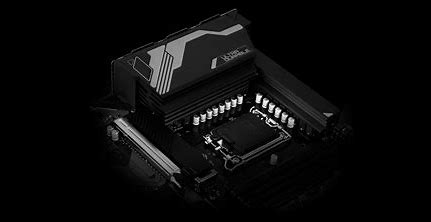
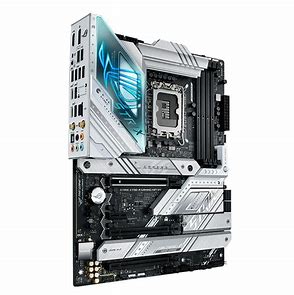
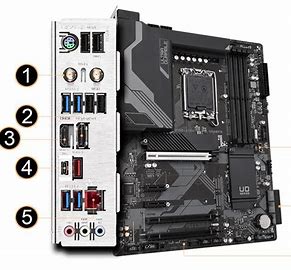
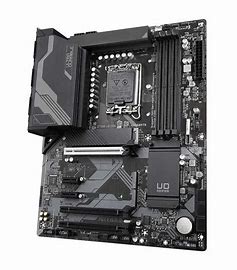
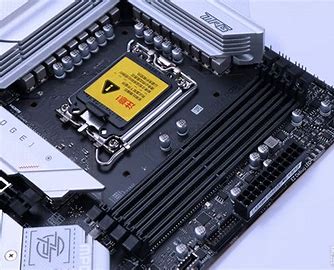

GIGA Z790 UD AX Z790 UD Z790 D AX Z790 D Motherboard with Z790 Express Chipset Supports 13th and 12th Gen Intel Core Series Processors
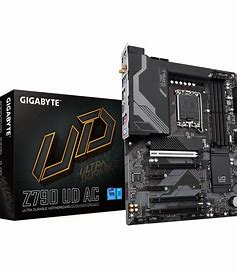
Here’s a detailed comparison table for the GIGABYTE Z790 UD AX, Z790 UD, Z790 D AX, and Z790 D motherboards:
GIGABYTE Z790 Budget Motherboard Comparison
| Feature | Z790 UD AX (WiFi) | Z790 UD (No WiFi) | Z790 D AX (WiFi) | Z790 D (No WiFi) |
|---|---|---|---|---|
| Form Factor | ATX | ATX | ATX | ATX |
| Target Users | Budget WiFi builders | Strict budget builds | Basic WiFi needs | Absolute lowest cost |
| VRM Design | 12+1+1 Phase (50A) | 12+1+1 Phase (50A) | 10+1+1 Phase (50A) | 10+1+1 Phase (50A) |
| Memory Support | DDR5-7200+(OC) | DDR5-7200+(OC) | DDR5-7000+(OC) | DDR5-7000+(OC) |
| PCIe Slots | 1x PCIe 5.0 x16 + 1x PCIe 4.0 x4 | Same as UD AX | 1x PCIe 5.0 x16 | 1x PCIe 5.0 x16 |
| M.2 Slots | 3x (1x Gen5 + 2x Gen4) | Same as UD AX | 2x (1x Gen5 + 1x Gen4) | Same as D AX |
| Networking | WiFi 6 + 2.5G LAN | 2.5G LAN (No WiFi) | WiFi 6 + 2.5G LAN | 2.5G LAN (No WiFi) |
| Audio | ALC897 | ALC897 | ALC897 | ALC897 |
| Cooling | Basic Heatsinks | Basic Heatsinks | Minimal Heatsinks | Minimal Heatsinks |
| RGB Lighting | No RGB | No RGB | No RGB | No RGB |
| USB Ports (Rear I/O) | 1x USB-C 10G, 6x USB-A (5G) | Same as UD AX | 1x USB-C 5G, 4x USB-A (5G) | Same as D AX |
| SATA Ports | 4x SATA III | 4x SATA III | 4x SATA III | 4x SATA III |
| Price Segment | 179−199 | 159−179 | 169−189 |
1. GIGABYTE Z790 UD AX (Best Value WiFi Option)
For: Budget builders needing wireless connectivity
Key Advantages:
-
WiFi 6 + 2.5G LAN – Dual networking options
-
3x M.2 Slots (1x PCIe 5.0 + 2x PCIe 4.0) – Excellent storage expansion
-
12+1+1 Phase VRM – Handles up to Core i7 processors
-
10Gbps USB-C – Faster external storage support
-
DDR5-7200+ OC – Solid memory overclocking headroom
Best Choice For: Most users wanting WiFi at the lowest possible Z790 price (~$180)
2. GIGABYTE Z790 UD (Best Wired Budget Board)
For: Strictly wired network users
Value Proposition:
-
Same 12+1+1 VRM and M.2 slots as UD AX
-
Saves $20 by removing WiFi 6
-
Identical 2.5G LAN and USB connectivity
-
Maintains all essential Z790 features
Ideal For: Gaming PCs using Ethernet cables (~$160)
3. GIGABYTE Z790 D AX (Basic WiFi Solution)
For: Users needing WiFi at minimum cost
Features:
-
10+1+1 Phase VRM – Suitable for Core i5/i7 (non-OC)
-
2x M.2 Slots (1x Gen5 + 1x Gen4)
-
WiFi 6 + 2.5G LAN – Basic wireless included
-
5Gbps USB-C – Slower than UD series
Best For: Secondary builds needing WiFi (~$170)
4. GIGABYTE Z790 D (Absolute Budget King)
For: Lowest-cost Z790 entry
Essentials:
-
Same 10+1+1 VRM as D AX
-
No WiFi – Pure wired 2.5G LAN
-
Most basic I/O (4x USB-A 5Gbps)
-
Still includes PCIe 5.0 and DDR5
Perfect For: Office PCs or budget gaming rigs (~$150)
Key Comparison Table
| Feature | UD AX | UD | D AX | D |
|---|---|---|---|---|
| VRM | 12+1+1 | 12+1+1 | 10+1+1 | 10+1+1 |
| WiFi | 6 | None | 6 | None |
| M.2 Slots | 3 | 3 | 2 | 2 |
| USB-C Speed | 10Gbps | 10Gbps | 5Gbps | 5Gbps |
| LAN | 2.5G | 2.5G | 2.5G | 2.5G |
| Price | $$$ | $$ | $$ | $ |
Smart Buying Guide
-
Need WiFi? Choose UD AX for best features or D AX for minimum cost
-
Using Ethernet? Save with standard UD
-
Tight Budget? Z790 D delivers core Z790 at lowest price
All models support Intel 12th-14th Gen CPUs while offering tiered features. The UD series provides better power delivery and expansion, while the D series cuts costs to the absolute essentials without sacrificing core Z790 functionality.